Easy for the Whole Team
Give bartenders and managers a clear, visual way to operate TVs—without memorizing receiver locations or juggling remotes.


From simple DirecTV channel control to complete HDMI video distribution, Cinemar makes managing every screen in your venue easy—all from one intuitive touchscreen. A custom venue floor plan helps staff find and control TVs quickly, with audio source switching and independent zoned volume control available.
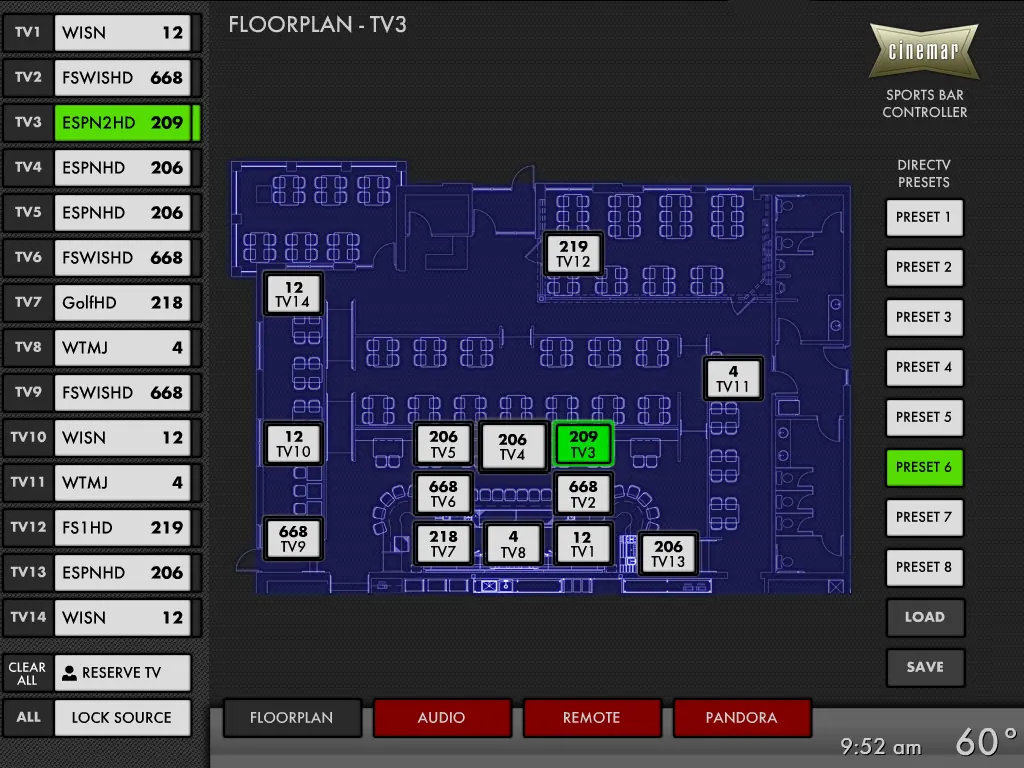


Changing channels shouldn't mean searching for remotes, walking from TV to TV, or figuring out which receiver controls which screen.
Cinemar puts venue-wide control at your staff's fingertips. With your actual venue floor plan on the touchscreen, employees can quickly find the TV they need and change DirecTV channels or select available video sources, depending on the system.
Less confusion for your staff. Faster responses to guests. More time to focus on your business.
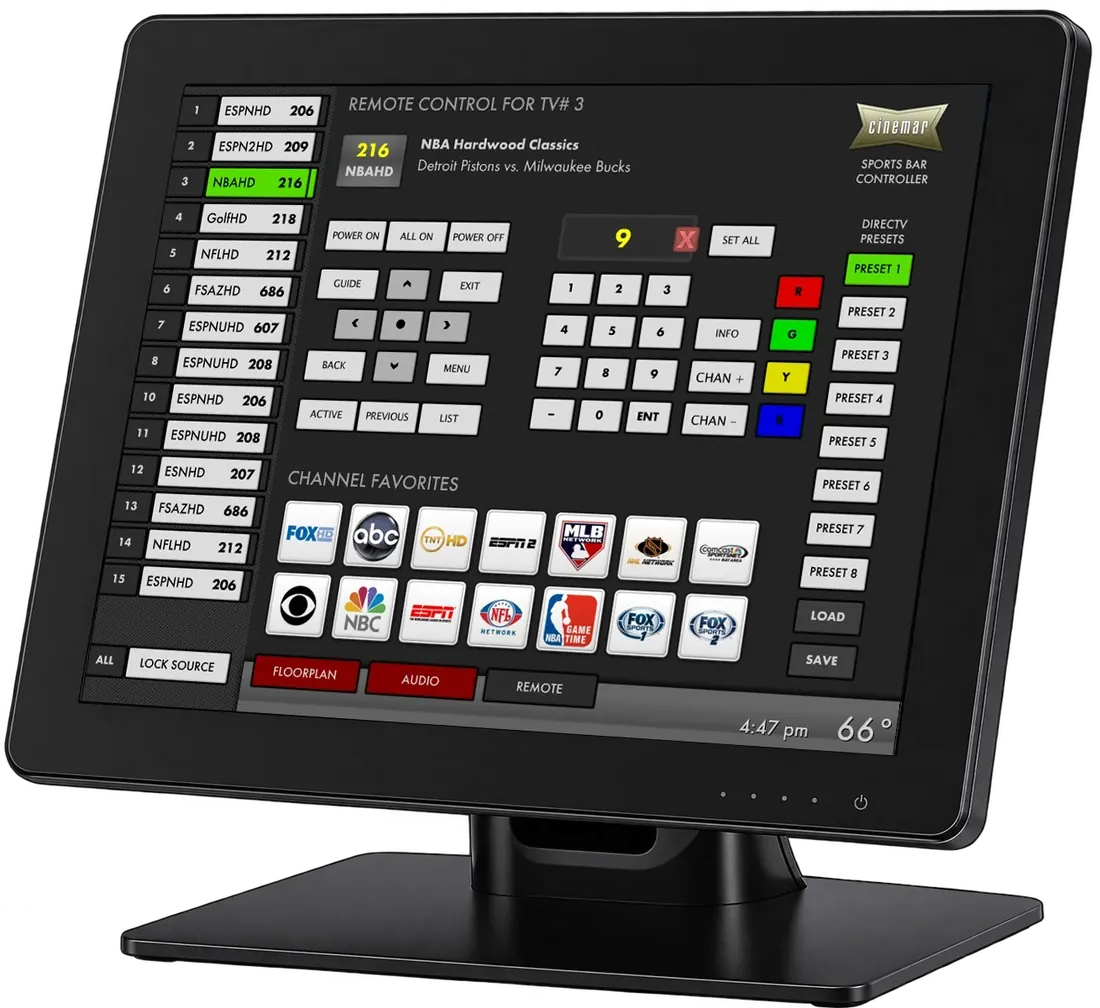
Give bartenders and managers a clear, visual way to operate TVs—without memorizing receiver locations or juggling remotes.
Shared Sources shows which TVs use the same receiver or video source, so staff can see which other screens a channel change may affect.
Use Favorite Channel Icons to jump to frequently watched channels quickly.
For 24 years, Cinemar has helped sports bars, restaurants, and commercial venues simplify TV and audio control. From custom system design to installation assistance and ongoing technical support, we deliver solutions built around each customer's needs.
Custom Solutions · Expert Support · Proven Experience
Choose the level of control and video distribution your venue needs.
Upgrade your control, not your video system. Change channels on existing DirecTV receivers behind your TVs or in a central rack. If they’re already connected to the TVs, no additional video distribution equipment is needed.
Explore DirecTV Control →Distribute any HDMI video source—including DirecTV, cable boxes, streaming devices, computers, and media players—to TVs throughout your venue. We configure the number of sources and TVs to fit your venue. Audio source switching and zoned volume control are available. HDMI video travels over Cat5, Cat5e, or Cat6 twisted-pair cabling.
Explore AV Matrix →Get the right game on the right screens—and help staff manage the entire venue from one touchscreen.
Set every DirecTV receiver to the same channel with a single click—ideal when the big game starts.
Choose a channel or video source once, then tap the TVs on your floor plan you want to change. Behavior is tailored to your Cinemar system.
Recall DirecTV channel assignments, audio sources and zone volumes, or—on AV Matrix systems—video source assignments for every TV.
Mark a TV on the floor plan as a visual reminder that a guest may be watching it, helping staff avoid unwanted changes.
Included in both packages with customer-supplied floor-plan imagery (typically a PDF). TVs appear at their actual locations.
Switch audio sources and adjust each audio zone's volume independently.
Configured before shipping, with custom wiring diagrams for you or your installer.
Remote and phone support included; renewable annual maintenance thereafter.
See the TV you want to control right on your floor plan.
We can incorporate your venue’s floor plan into the Cinemar touchscreen interface, placing TV controls where the screens are actually installed. Staff can quickly identify a television and change the DirecTV channel.
Audio source selection and independent zoned volume control can also be included when needed.
See how it works →Video walls, venue audio and the right package for your setup.
Explore video-wall options for sports bars and entertainment spaces.
Explore Video Walls →Learn how AudioFetch fits into a guest-listening experience.
Explore AudioFetch →Compare the equipment and support included with each Cinemar solution.
Compare Packages →DirecTV channel changing remains our most popular control solution. We also support cable receivers and AV Matrix systems that distribute any HDMI video source.
When each receiver already feeds its TV, our streamlined control system may be the most cost-effective choice.
Need to share HDMI sources across TVs throughout your venue? We design AV Matrix Distribution systems around your number of sources, screens, and layout.
From sports bars and restaurants to bowling alleys, casinos, gyms, hotels and dealerships, Cinemar has worked with a range of commercial venues. We tailor TV control and HDMI video distribution to each location’s screens, sources and staff workflow.